How to Withdraw From Vest Capital (Step by Step)
Updated · 4 min read
Withdrawing from Vest Capital takes two hops. First, request a withdrawal inside your funded account: your 90% profit share is processed within 24 hours and lands as USDC in your primary Vest account. Second, withdraw that USDC from the primary account on Base or Arbitrum One to an exchange like Coinbase or a wallet you control. That leg shows Processing (~24h) too. Plan on up to 48 hours from request to USDC in your exchange. Minimum $1, no Vest withdrawal fee.
- Funded-account profits can be withdrawn any time, 24/7, with no minimum period and no frequency limit.
- Your 90% split is applied automatically; the funded withdrawal takes up to 24 hours.
- Not sure what the primary account is? See what is the primary account in Vest Capital.
- The USDC arrives in your primary Vest account, not your bank. You then send it on-chain yourself.
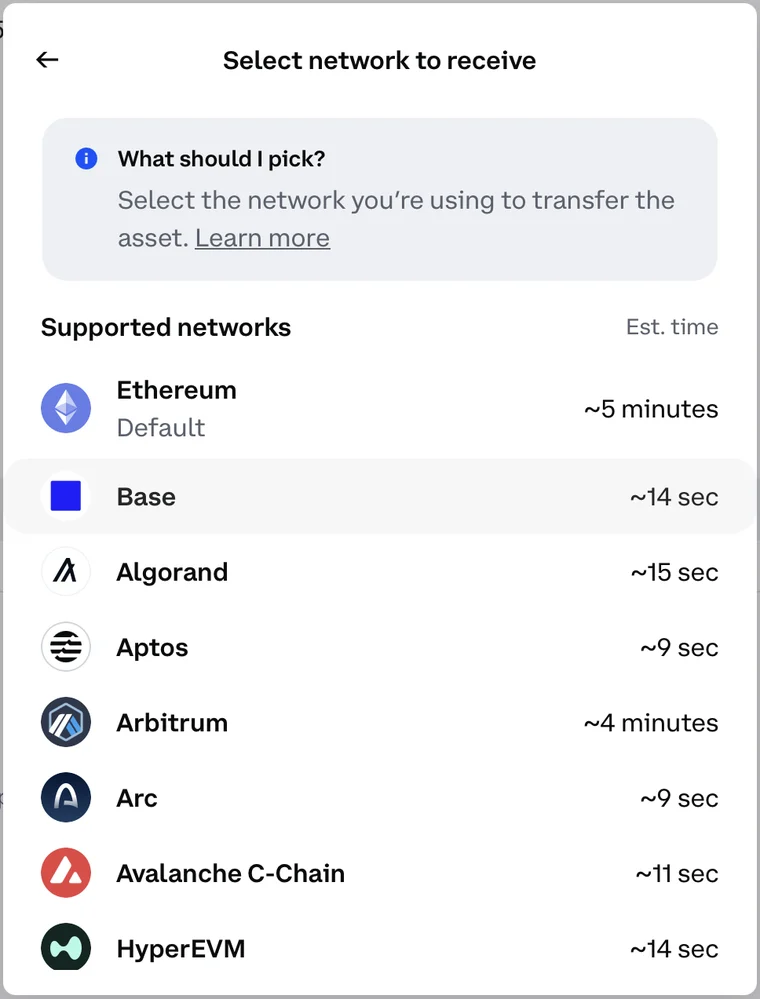
- Vest withdraws on Base or Arbitrum One. Generate the receiving address on the same network. Coinbase defaults to Ethereum, so change it.
- To get dollars in a US bank, send to Coinbase or Kraken, then cash out. See USDC to bank: cheapest vs fastest.
Step 1: Withdraw profits from the funded account
- Open your Funded Account in Vest and choose withdraw.
- Request the amount. Vest applies the 90% profit split automatically. There are no extra deductions at this stage.
- Wait for processing. Vest says requests are normally processed within 24 hours, and every account is subject to a 24-hour processing period.
- The USDC is credited to your primary Vest Markets account. You'll see it as available balance on the main portfolio page.
Evaluation profits aren't paid
Profits made during the evaluation aren't withdrawable. Only profits on the funded account (or an instant-funded account in profit) count.
Step 2: Get a USDC deposit address on Base (Coinbase example)
Before touching Vest, get the address you're sending to. On Coinbase it takes four clicks, and the third one is where most people go wrong.
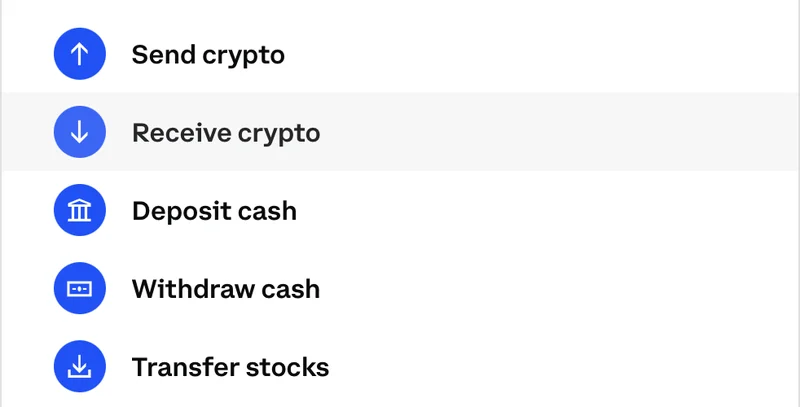
- On the Coinbase home screen, open the side panel and choose Receive crypto.
- Search USDC and select it.
- On Select network to receive, pick Base. Coinbase pre-selects Ethereum (Default). Don't leave it there.
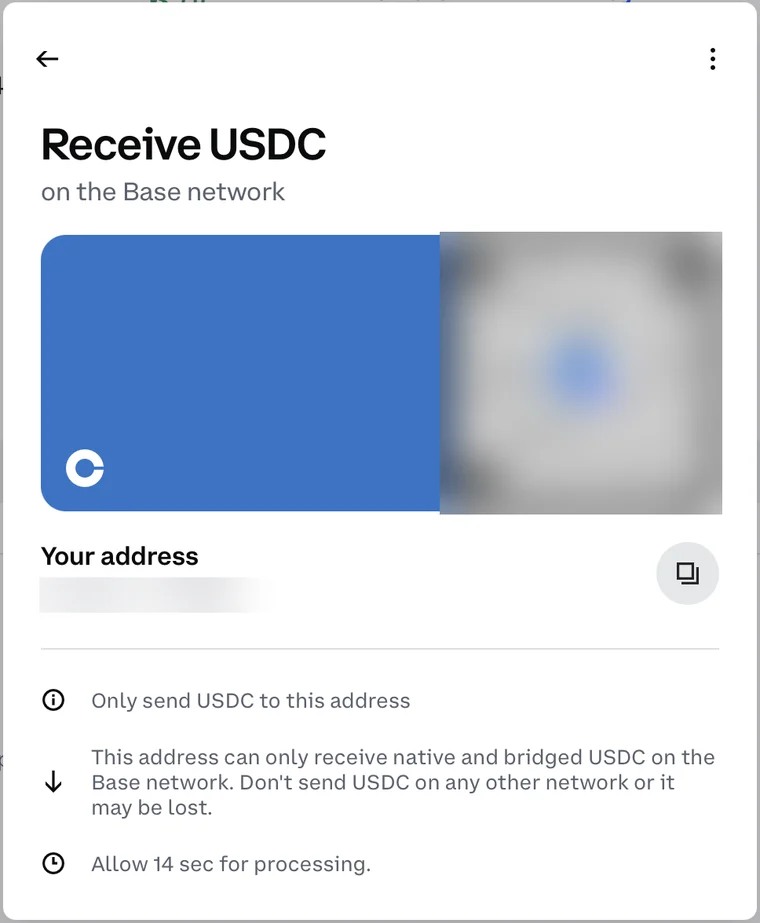
- On Receive USDC on the Base network, copy Your address with the copy button.
Why the network matters
Coinbase warns that this address 'can only receive native and bridged USDC on the Base network'. If you generate an Ethereum address and send on Base (or the reverse), the funds may be lost.
Step 3: Withdraw USDC from your primary Vest account
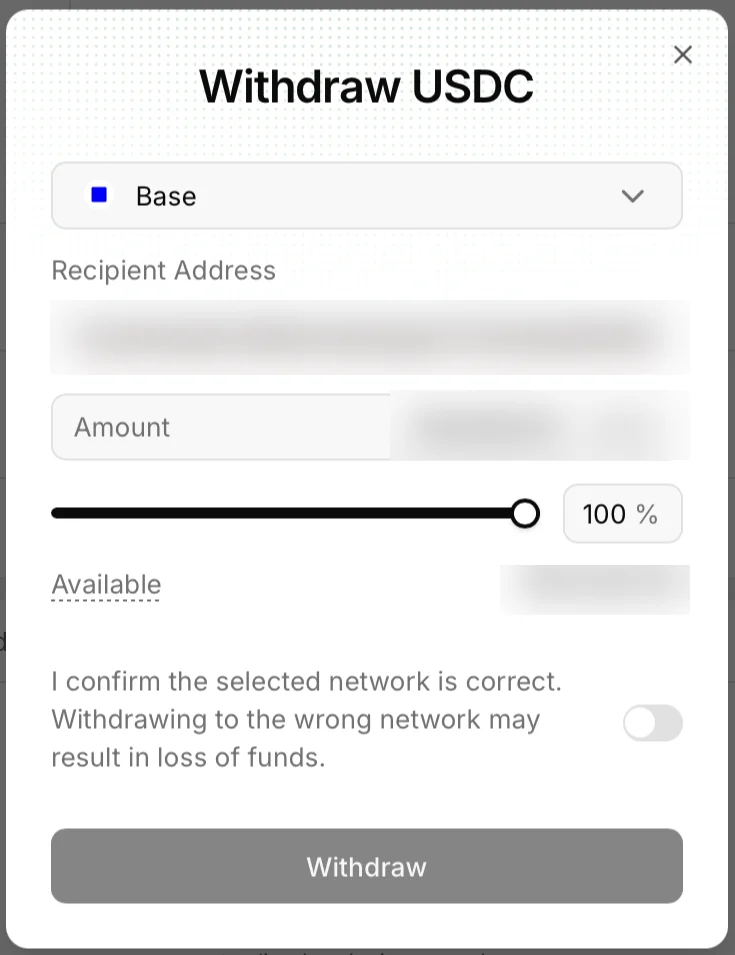
- On Vest's portfolio page, click Withdraw to open Withdraw USDC.
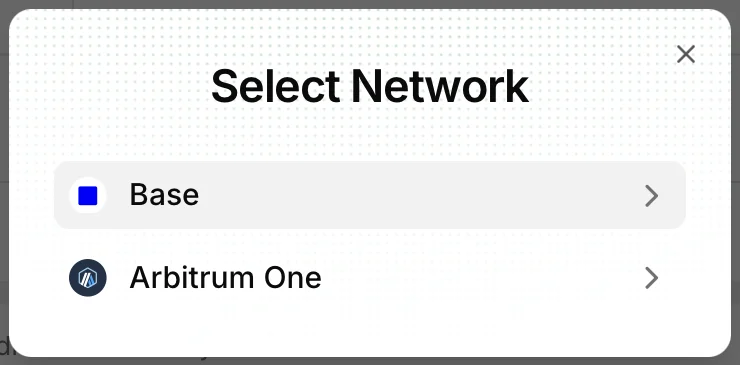
- Open the network dropdown. Vest offers Base and Arbitrum One. Choose the same network you picked in Coinbase (Base).
- Paste the address into Recipient Address, then check that the first and last 4–6 characters match what Coinbase shows.
- Enter the Amount or drag the slider to 100% (minimum $1). Available shows your full balance.
- Switch on 'I confirm the selected network is correct'. Withdraw stays greyed out until you do.
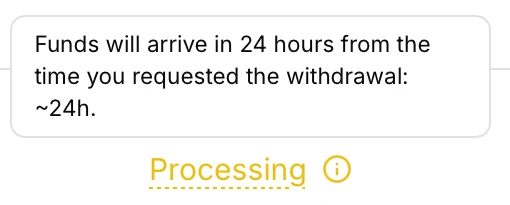
- Press Withdraw. The withdrawal shows Processing with the note *'Funds will arrive in 24 hours from the time you requested the withdrawal: ~24h'*. Once Vest releases it, the Base transfer itself lands on Coinbase in seconds.
Two 24-hour waits, not one
Vest's docs describe the onward transfer as usually instant, but in our test it showed a ~24h processing window as well. Budget up to 48 hours from your funded-account request to USDC in Coinbase, plus your bank cash-out time.
First time? Send a test
Send $5 first, wait for it to appear in Coinbase (Base takes about 14 seconds), then send the rest.
Base or Arbitrum One?
| Base | Arbitrum One | |
|---|---|---|
| Coinbase deposit time | ~14 seconds | ~4 minutes |
| Network fee | Cents | Cents |
| Best for | Coinbase (Coinbase built Base) | Exchanges or wallets that don't support Base |
Sending to Kraken or a self-custody wallet works the same way: generate a USDC deposit address on the exact network you'll pick in Vest.
How long the whole thing takes
| Leg | Typical time | Cost |
|---|---|---|
| Funded account → primary Vest account | Up to 24 hours | Free (90% split already applied) |
| Primary account → Coinbase | Up to ~24 hours (Vest processing), then ~14 sec on Base / ~4 min on Arbitrum | Free from Vest; network fees are cents |
| Exchange → bank | Instant (paid) to 1–3 business days (free) | See the cash-out guide |
Frequently asked questions
How often can I withdraw from Vest Capital?
Any time. Vest says funded-account profits can be claimed on demand, 24/7, with no minimum withdrawal period and no limit on frequency.
How long does a Vest withdrawal take?
Up to about 48 hours to reach your exchange: up to 24 hours for the funded-account payout to reach your primary Vest account, then a ~24-hour processing window on the withdrawal from the primary account. After that, Base transfers land on Coinbase in seconds; ACH to your bank adds 1–5 business days, or use an instant cashout.
Does Vest charge a withdrawal fee?
Vest says there are no additional fees or deductions at the withdrawal stage beyond the 90/10 profit split. Moving USDC on Base costs a few cents in network fees.
Can I withdraw from Vest straight to my bank?
Not directly. Vest pays USDC to your primary account; you send it to an exchange like Coinbase or Kraken and cash out to your bank from there.
Which network should I withdraw USDC on?
Vest offers Base and Arbitrum One. Use Base if you're sending to Coinbase: deposits land in about 14 seconds versus about 4 minutes on Arbitrum. Whichever you pick, generate the deposit address on that same network.
Sources
Educational content, not financial advice. Perps and prop evaluations are high-risk; firm rules change, so check each firm's current terms.